

How to Make Your Business the Easy Choice on Google Maps
Most local businesses lose out on clicks and calls because their Google Business Profile isn’t set up right. You’re busy running your business, not tweaking listings, so your spot in the local pack stays out of reach. This guide will show you how smart GBP optimisation can put your business front and centre on Google Maps, bringing more customers through your door with less hassle. Learn more about optimising your Google Business Profile here.
Boost Visibility on Google Maps

Here’s the key insight: getting noticed on Google Maps isn’t just about being there. It’s about standing out. The good news is, you don’t need to be a tech wizard to make it happen. Start by focussing on what really matters for your Google Business Profile.
Optimise Google Business Profile
A well-tuned profile acts as your digital storefront. Ensure your business name, address, and phone number are correct. Add high-quality images showcasing your products or services. These steps help build trust with potential customers.
-
Regular Updates: Keep your profile fresh by posting updates. Whether it’s a new product or a special offer, updates show you’re active.
-
Complete Information: Fill out every section. Don’t skip your business hours or services offered.
For more tips, the Google Business Profile support page is a great resource.
Enhance Map Pack Rankings
Map Pack rankings can feel like the holy grail of local SEO. To climb those ranks, focus on local keywords. Mention them naturally in your business description and posts. Another secret weapon? Customer reviews.
-
Keywords in Reviews: Encourage customers to mention specific services in their reviews.
-
Local Content: Share content relevant to your local area. This can include community events or local news.
Dive deeper with this guide to Google Business Profile optimisation.
Improve Local SEO UK
Local SEO isn’t just a buzzword. It’s the backbone of your online presence. Get the basics right with NAP consistency: name, address, and phone number should match across all platforms. Then, focus on local citations.
-
Citations: Appear on local directories like Yell or Thomson Local.
-
Consistent Listings: Ensure all your listings are up-to-date with the same information.
For more detailed strategies, Reddit offers community-driven insights on improving business visibility on Google.
Streamline Google Reviews Management
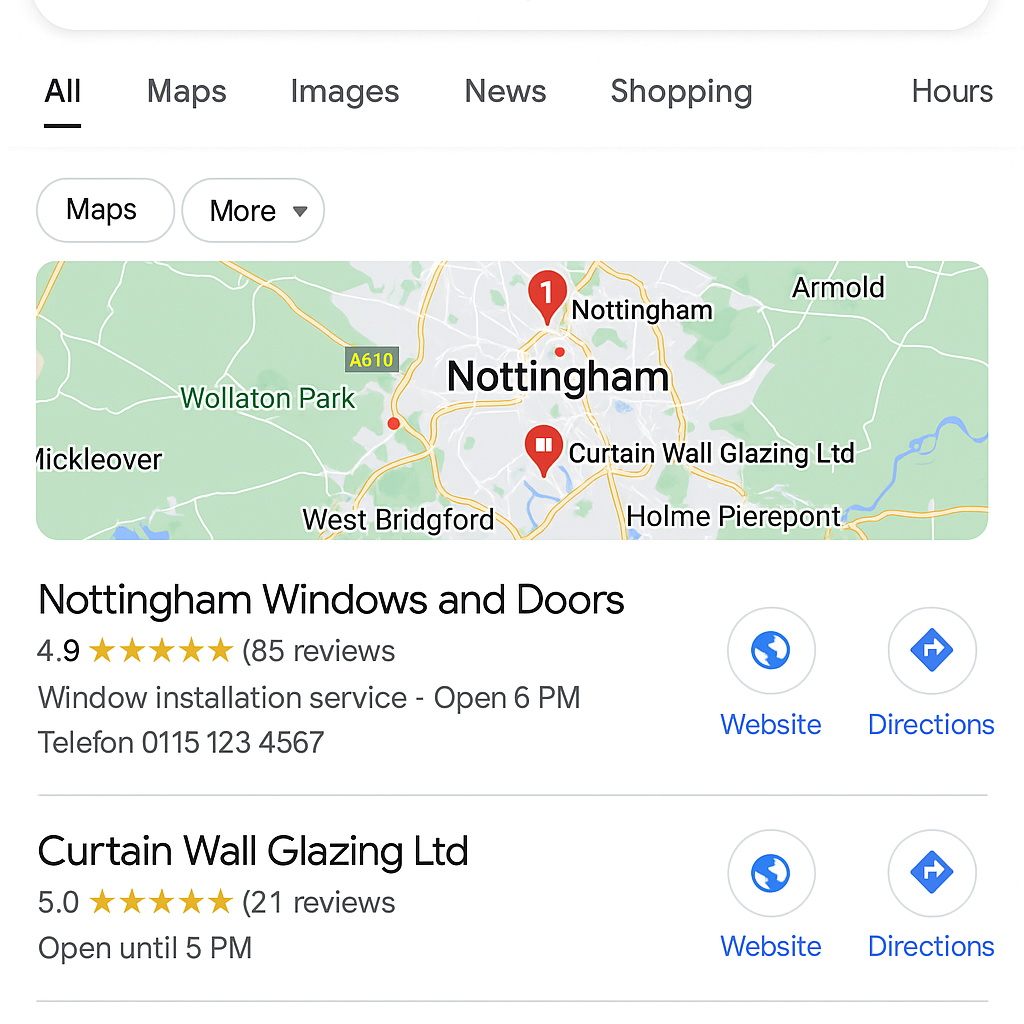
Now that you’ve optimised your profile, it’s time to manage your reputation. Reviews are a powerful tool. They can attract new customers and build trust with existing ones. But only if handled right.
Reputation Management Tactics
Reputation management goes beyond responding to reviews. It’s about actively building a positive image. Encourage happy customers to leave feedback, and address negative reviews with grace.
-
Ask for Reviews: Prompt satisfied customers to share their experiences.
-
Respond Promptly: Acknowledge both positive and negative feedback quickly.
Taking charge of your reputation can significantly impact customer perceptions.
Review Response Templates
Don’t stress over every response. Templates can save time while ensuring consistency. Tailor them to reflect your business’s tone and values. Start with a thank you and address the customer’s specific comments.
-
Positive Response: Thank them for their feedback and mention how you’ll share it with the team.
-
Negative Response: Apologise for their experience and explain how you’ll rectify the situation.
These templates help maintain professionalism, even under pressure.
Tackle Spam and Fake Reviews
Spam and fake reviews can damage your credibility. Knowing how to spot and handle them is crucial. If a review seems suspicious, flag it for Google to review. Provide evidence if possible.
-
Flagging Process: Use Google’s reporting tool to address fake reviews.
-
Response Strategy: Politely respond, showing potential customers you care about honesty.
For more on protecting your reputation, explore Mailchimp’s guide on Google Business Profile.
Automate and Scale with Daisy
Meet Daisy, your new best friend in Google Business Profile management. This AI-driven tool can handle repetitive tasks, freeing up your time to focus on what you do best: running your business.
Primary Category Optimisation
Choosing the right primary category boosts your visibility. Daisy can assess and suggest the most effective category based on your services and target audience.
-
Category Analysis: Daisy evaluates market trends to keep your profile aligned.
-
Automatic Adjustments: Regular updates to your category ensure continued relevance.
With Daisy, you’ll never miss an opportunity to optimise your category selection.
NAP Consistency and Local Citations
NAP consistency is crucial for search engines to trust your business. Daisy ensures every citation is accurate and up-to-date. It also automates the process of creating and managing local citations.
-
Accurate Information: Daisy checks and updates your details across all platforms.
-
Efficient Citation Management: Automates listings on key directories.
Experience peace of mind knowing your business information is consistent everywhere it counts.
Competitor Analysis and UTM Tracking
Understanding your competition helps you stay ahead. Daisy provides insights into competitor strategies and tracks your performance with UTM tags. This data analysis helps refine your marketing efforts.
-
Competitor Insights: Learn what’s working for others and adapt.
-
Performance Tracking: Measure the success of your campaigns and adjust accordingly.
With Daisy on your side, you’ll have the tools to outsmart the competition and elevate your business.